




 My account


In the REPORTS section you can receive reports on individuals and legal entities.
REPORTS – Report on an Individual
By entering the taxpayer identification number of a person, by filling in all the fields in the Advanced search criteria form and clicking the «SEARCH» button you can find the subject of credit history.
As a result, you will get a short identification of the located subject and a set of icons, showing the subject’s reports.

By hovering the mouse pointer over the report icon, you can see its name, cost, additional conditions for requesting a report or the reason for the absence of a subject’s report.
In the Report on an Individual you can obtain the following reports:
1.  CREDIT REPORT OF AN INDIVIDUAL/ENTREPRENEUR and a
  «CREDIT SCORE» REPORT
To obtain a report, you need to select the purpose of the request according to its objective, enter the client’s Tax Identification Number (TIN), complete all fields in the Advanced Search Criteria form, and click the «SEARCH» button.
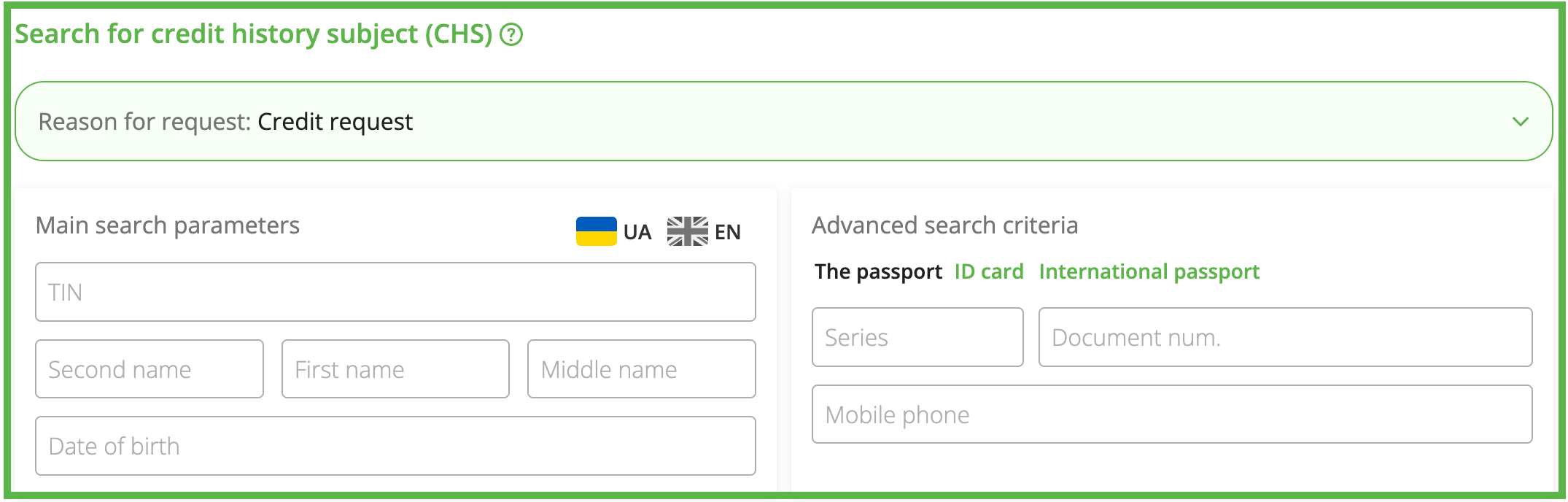
2.  INFORMATION FROM THE REGISTER OF PERSONS WITH RESTRICTED ACCESS TO GAMBLING FACILITIES AND/OR PARTICIPATION IN GAMBLING (USING CREDIT FUNDS)
The report is intended to verify whether the borrower is included in the Register of Persons with Restricted Access to Gambling Facilities and/or Participation in Gambling at the time of concluding a consumer loan agreement in accordance with the requirements of the Law of Ukraine “On Consumer Lending”.
This applies to persons in respect of whom the said Register contains information about their use of credit funds for placing bets, according to the Commission for Regulation of Gambling and Lotteries (CRGL).
3.  IDENTITY VERIFICATION – information on the presence of identity cards in the lists of invalid passports according to the offline databases of invalid passports of the Ministry of Internal Affairs and the SMS, as well as the UBCH own register of lost passports.
To obtain a report, you need to enter the client’s Tax Identification Number (TIN) in the search field, complete all fields in the Advanced search criteria form, expand the Additional search parameters panel – Verification using databases of invalid documents, select the document type:
– Passport;
– ID Card;
– International passport;
– Crew member certificate,
fill in the document search form, and click the «SEARCH» button.
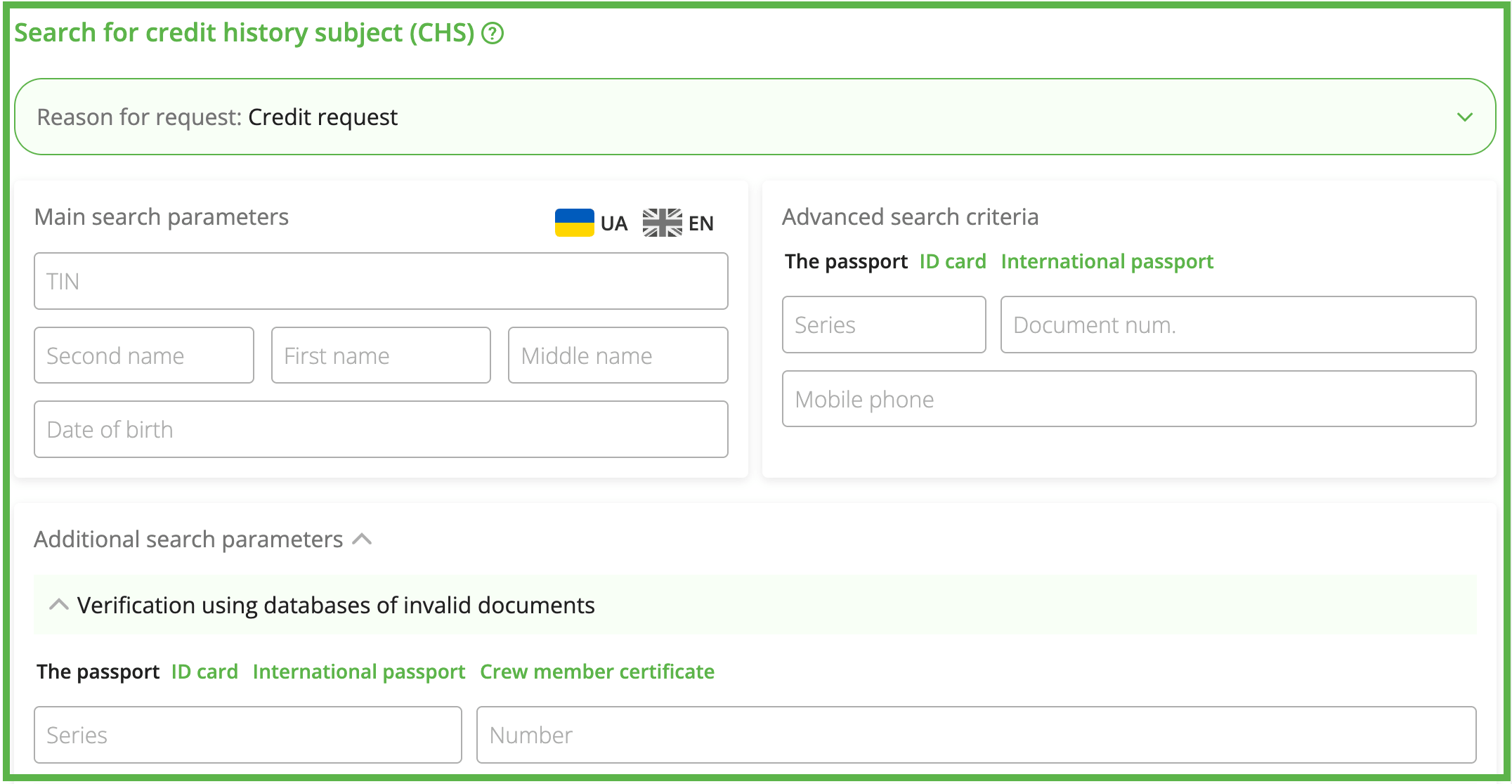
4.  IDENTITY DOCUMENT VERIFICATION ONLINE – information on the presence of identity cards in the list of invalid ones online according to the databases of invalid passports of the Ministry of Internal Affairs, the SMS and the UBCH own register of lost passports.
To obtain a report, you need to enter the client’s Tax Identification Number (TIN) in the search field, complete all fields in the Advanced search criteria form, expand the Additional search parameters panel – Verification using databases of invalid documents, select the document type:
– Passport;
– ID Card,
fill in the document search form, and click the «SEARCH» button.
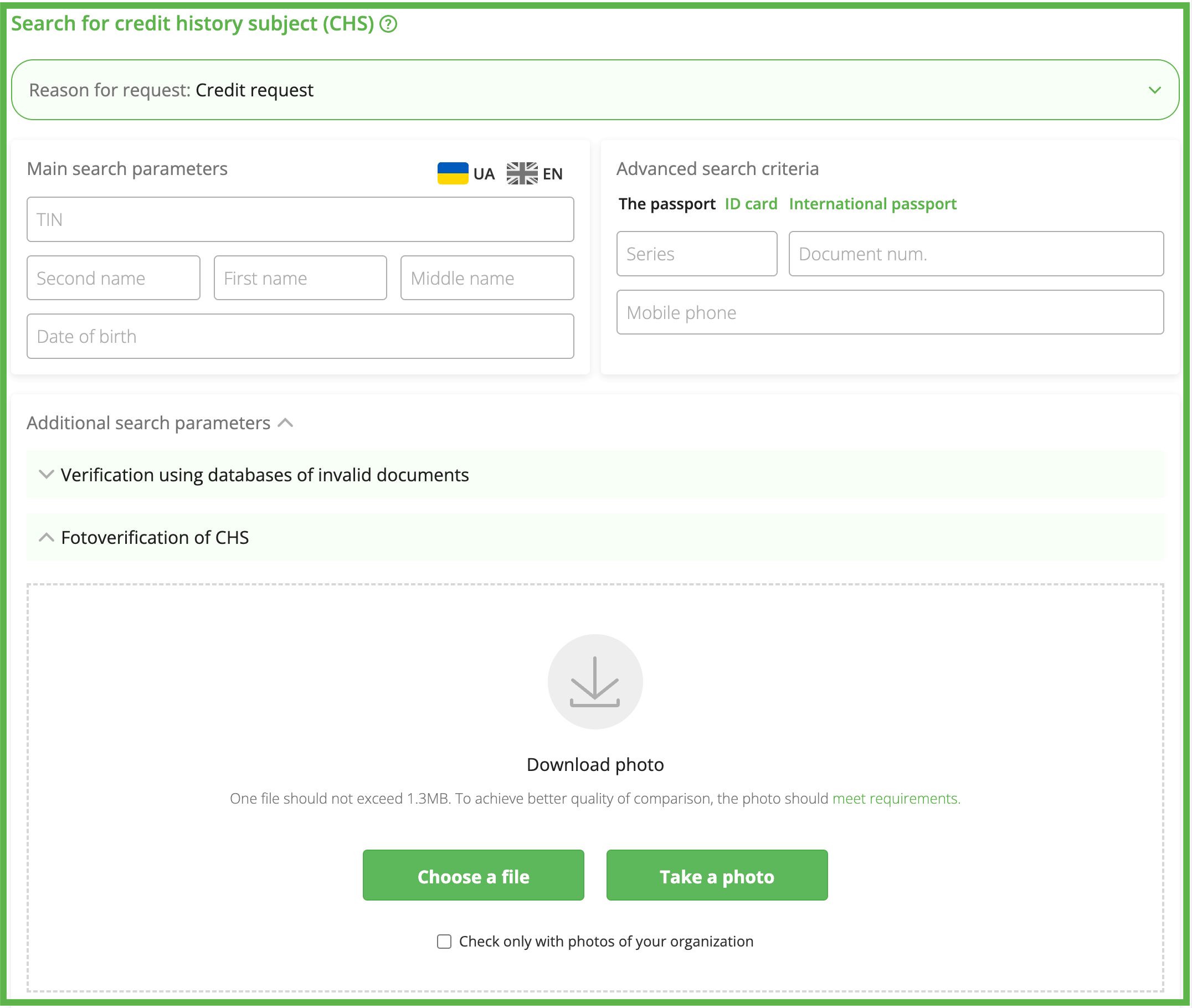
5.  FOTOVERIFICATION OF THE SUBJECT OF CREDIT HISTORY
To obtain a report, you need to enter the client’s Tax Identification Number (TIN) in the search field, complete all fields in the Advanced search criteria form, expand the Additional search parameters panel – Fotoverification of CHS, and choose a convenient option for uploading a photo for verification:
– choose a file from your device;
– take a photo – a camera for taking pictures opens. Place the customer’s face within the scanner area, using the camera lens, and click the «Take a picture» button.
Upon uploading the customer’s photo, click the «SEARCH» button in the corresponding field of the form.
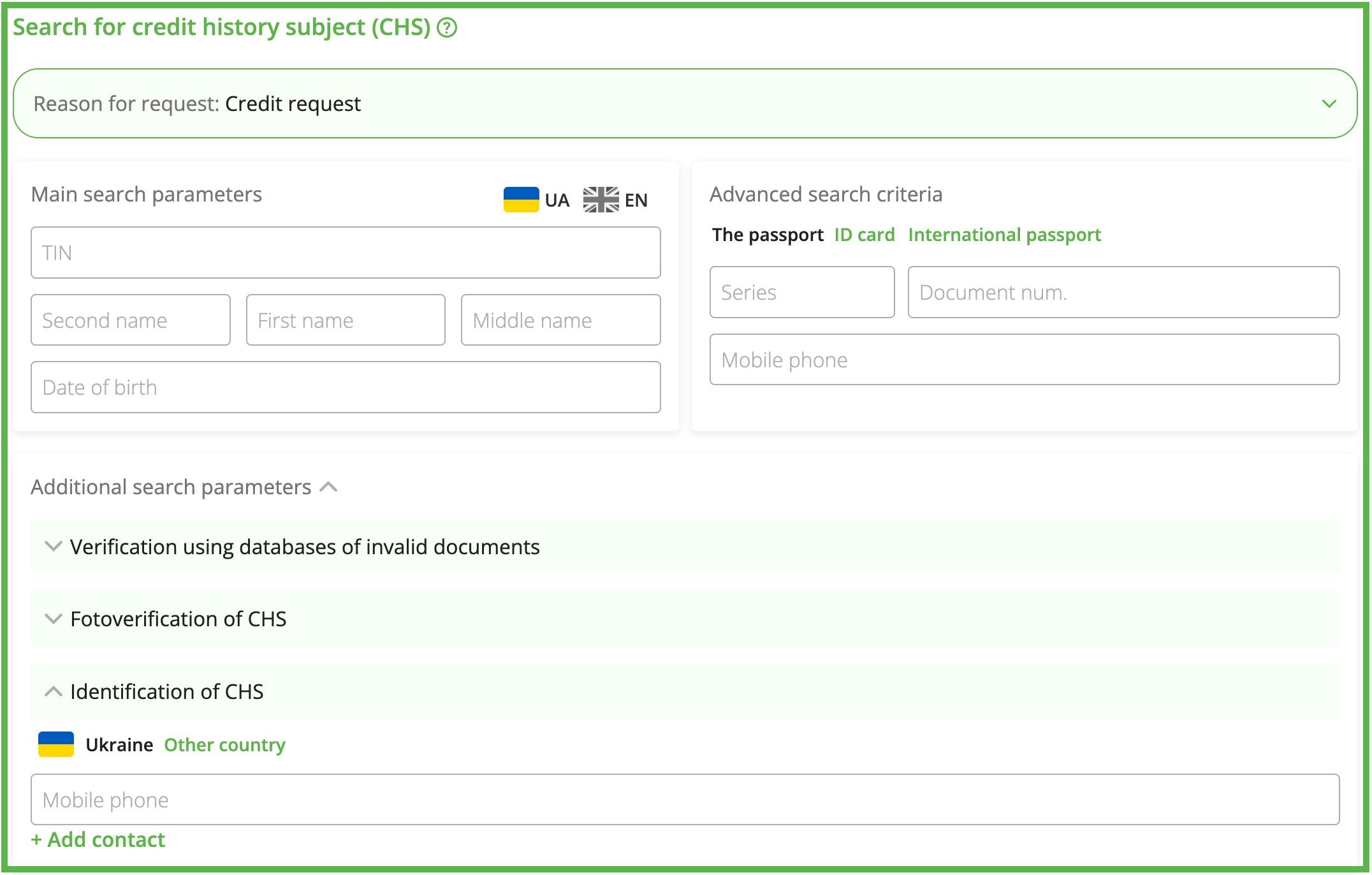
6.  SUBJECT OF CREDIT HISTORY IDENTIFICATION
The report contains a customer’s identification data part and information in the UBCH database, that can be obtained by phone, indicating the type of the partner that provided this phone number.
To obtain a report, you need to enter the client’s Tax Identification Number (TIN) in the search field, complete all fields in the Advanced search criteria form, expand the Additional search parameters panel – Identification of CHS, enter the phone number in the corresponding field, and click the «SEARCH» button.
If you need to check several phone numbers, click  , enter additional phone numbers in the corresponding field, and click the «SEARCH» button.
7.  CONTACTS
The CONTACTS report contains the information about the individual’s contacts and their updates history.
To obtain a report, you need to enter the client’s Tax Identification Number (TIN) in the search field, complete all fields in the Advanced search criteria form, and click the «SEARCH» button.
Please note!!! To receive the Contacts report, you must have the credit history for the given customer from your organization. If it is absent, the TIN will NOT be processed.
Generated reports are marked in the same part with corresponding icons.
Besides, the Report on an Individual contains the reports that can be obtained from state registers and other public sources, such as:
8.  RELATED PERSONS the report allows you to determine the relationship with other legal entities or individuals based on data from the Unified State Register and the Unified State Register of Declarations.
9.  CHECK OF AN INDIVIDUAL a collection of documented information about an individual from state registers and other public sources that allows for a quick assessment of the financial and reputational risks of cooperating with a person.
The report contains information about:
– enforcement proceedings and presence in the register of debtors,
– wanted status (MIA, SSU, State Financial Monitoring Service),
– presence of an identity document in the registers of invalid documents,
– bankruptcy,
– legal and notarial activities,
– sanctions,
– status of a politically significant person of Ukraine,
– property rights and encumbrances,
– corruption offenses and lustration,
– court summonses.
10.  ENTREPRENEUR DOSSIER – aggregate documented information about an individual entrepreneur from state registers, other public databases and open sources.
11.  INFORMATION FROM STATE REGISTER OF MOVABLE PROPERTY ENCUMBRANCES (SRMPE).
12.  INFORMATION FROM STATE REGISTER OF REAL RIGHTS TO IMMOVABLE PROPERTY (SRRR).
13.  INFORMATION ABOUT REGISTERED VEHICLES.
To obtain reports from state registers and other public sources, you need to perform a search for the Credit History Subject (CHS) by entering their Tax Identification Number (TIN), select the purpose of the request according to its objective, complete all fields in the Advanced search criteria form, and click the «SEARCH» button.
Generated reports are marked in the same part with corresponding icons.
When you click a certain icon, the selected report for the specified customer opens in a new window.